> For the complete documentation index, see [llms.txt](https://auvidea.gitbook.io/nx-to-tx2-adapter/llms.txt). Markdown versions of documentation pages are available by appending `.md` to page URLs; this page is available as [Markdown](https://auvidea.gitbook.io/nx-to-tx2-adapter/manual/nx-to-tx2-adapter-overview.md).

# NX to TX2 Adapter Overview

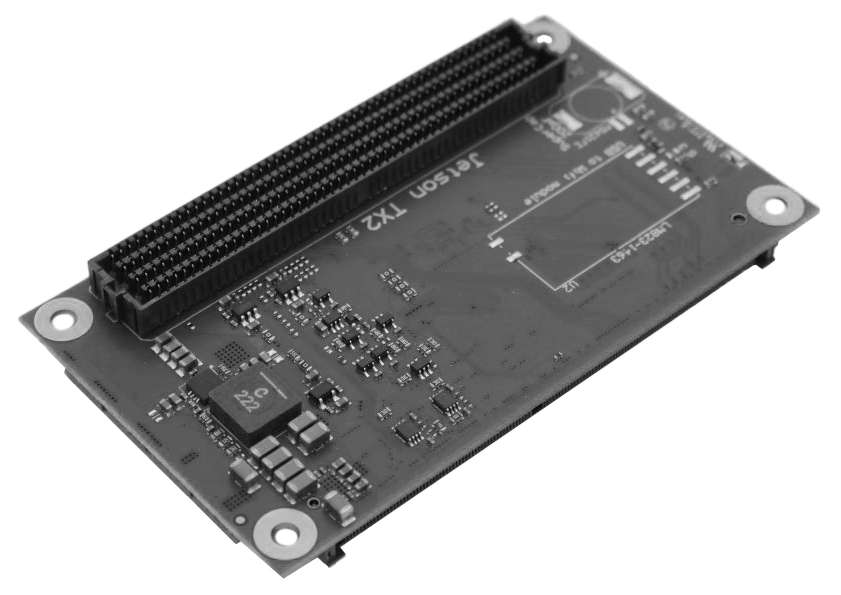
<figure><img src="https://4179663496-files.gitbook.io/~/files/v0/b/gitbook-x-prod.appspot.com/o/spaces%2FPvHPCNCsOskOuuldSBNz%2Fuploads%2Ft1uaXyiLxpVedkFWN2GV%2F0.png?alt=media" alt=""><figcaption><p>NX to TX2 Adapter</p></figcaption></figure>

## Product SKU

<table><thead><tr><th width="173">SKU</th><th>Description</th></tr></thead><tbody><tr><td>70870</td><td>Config 1/2</td></tr><tr><td>70871</td><td>Config 5</td></tr></tbody></table>

## Document versions and changes

<table><thead><tr><th width="113">Version</th><th>Changes</th></tr></thead><tbody><tr><td>1.0</td><td>Initial document, internal verification process</td></tr><tr><td>1.1</td><td>Clearer title, added Compatibility chapter</td></tr><tr><td>1.2</td><td>Fixed spelling,</td></tr><tr><td>1.3</td><td>Ported Manual to Gitbook</td></tr></tbody></table>

{% hint style="warning" %}
Auvidea can take no responsibility for the accuracy or completeness of any information presented in an exported PDF document as the export feature is developed, managed and maintained by GitBook. Those export mechanisms are subject to change without interaction by Auvidea. Please note that Auvidea includes this version table to identify the document and reference changes.
{% endhint %}

## Product revisions and changes <a href="#toc100758200" id="toc100758200"></a>

<table><thead><tr><th width="118">Version</th><th>Changes</th></tr></thead><tbody><tr><td>38443-3</td><td>TX2 configuration 1 &#x26; 2</td></tr><tr><td>38445-3</td><td>TX2 configuration 5</td></tr><tr><td></td><td></td></tr></tbody></table>

## Adapter Overview and Comparison <a href="#toc100758202" id="toc100758202"></a>

| Description                 | 38443                        | 38445 |
| --------------------------- | ---------------------------- | ----- |
| Config 1                    | yes                          | -     |
| Config 2                    | yes                          | -     |
| Config 3                    | -                            | -     |
| Config 4                    | -                            | -     |
| Config 5                    | -                            | yes   |
| Module compatibility        | Jetson Nano/TX2-NX/Xavier-NX |       |
| Carrier board compatibility | Jetson TX2 carrier boards    |       |
| LM823 Wi-Fi module          | (Optional)                   |       |

Features supported by the available configurations. \
More information about the configurations can be found on [www.developer.nvidia.com](http://www.developer.nvidia.com/).\
Note that SATA is not supported with this adapter.\
You can also contact Auvidea support for specific questions.

## Configurations <a href="#toc100758203" id="toc100758203"></a>

This table compares the Module capability with the configuration capability.

<table data-full-width="false"><thead><tr><th width="114">Feature</th><th width="130">Jetson Nano</th><th width="190">Jetson TX2 NX/ Jetson Xavier NX</th><th width="107">Config 1</th><th width="101">Config 2</th><th>Config 5</th></tr></thead><tbody><tr><td>PCIe x4</td><td>yes</td><td>yes</td><td>yes</td><td>yes</td><td>-</td></tr><tr><td>PCIe x2</td><td>-</td><td></td><td>-</td><td>-</td><td>yes</td></tr><tr><td>PCIe x1</td><td>-</td><td>yes</td><td>yes</td><td>-</td><td>yes</td></tr><tr><td>USB3.0</td><td>yes</td><td>yes</td><td>-</td><td>yes</td><td>yes</td></tr></tbody></table>

## Adapter Images <a href="#toc100758204" id="toc100758204"></a>

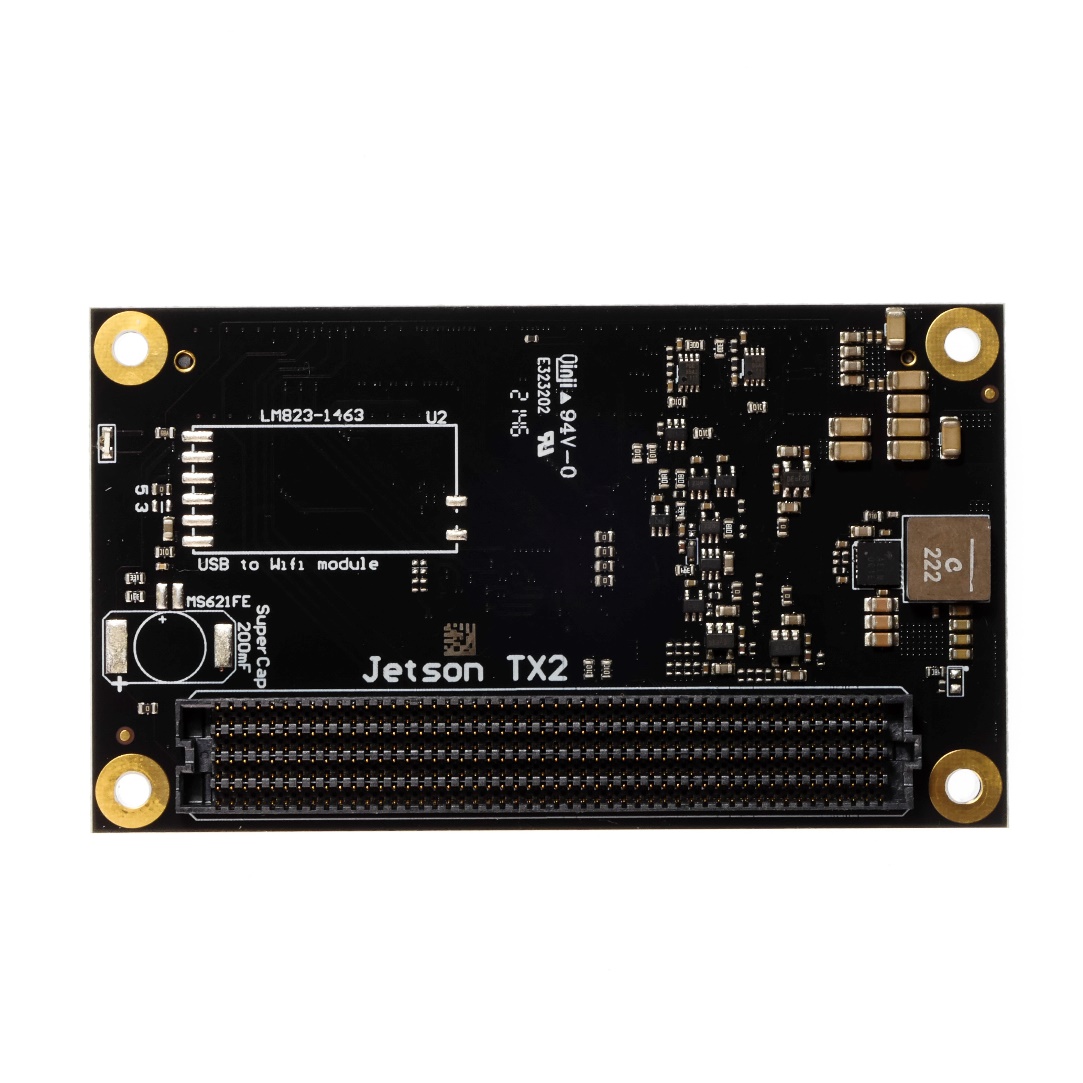
<figure><img src="https://4179663496-files.gitbook.io/~/files/v0/b/gitbook-x-prod.appspot.com/o/spaces%2FPvHPCNCsOskOuuldSBNz%2Fuploads%2F9YYCG2w5djN5Je0NxQhR%2F2.jpeg?alt=media" alt=""><figcaption><p>Bottomside 38445</p></figcaption></figure>

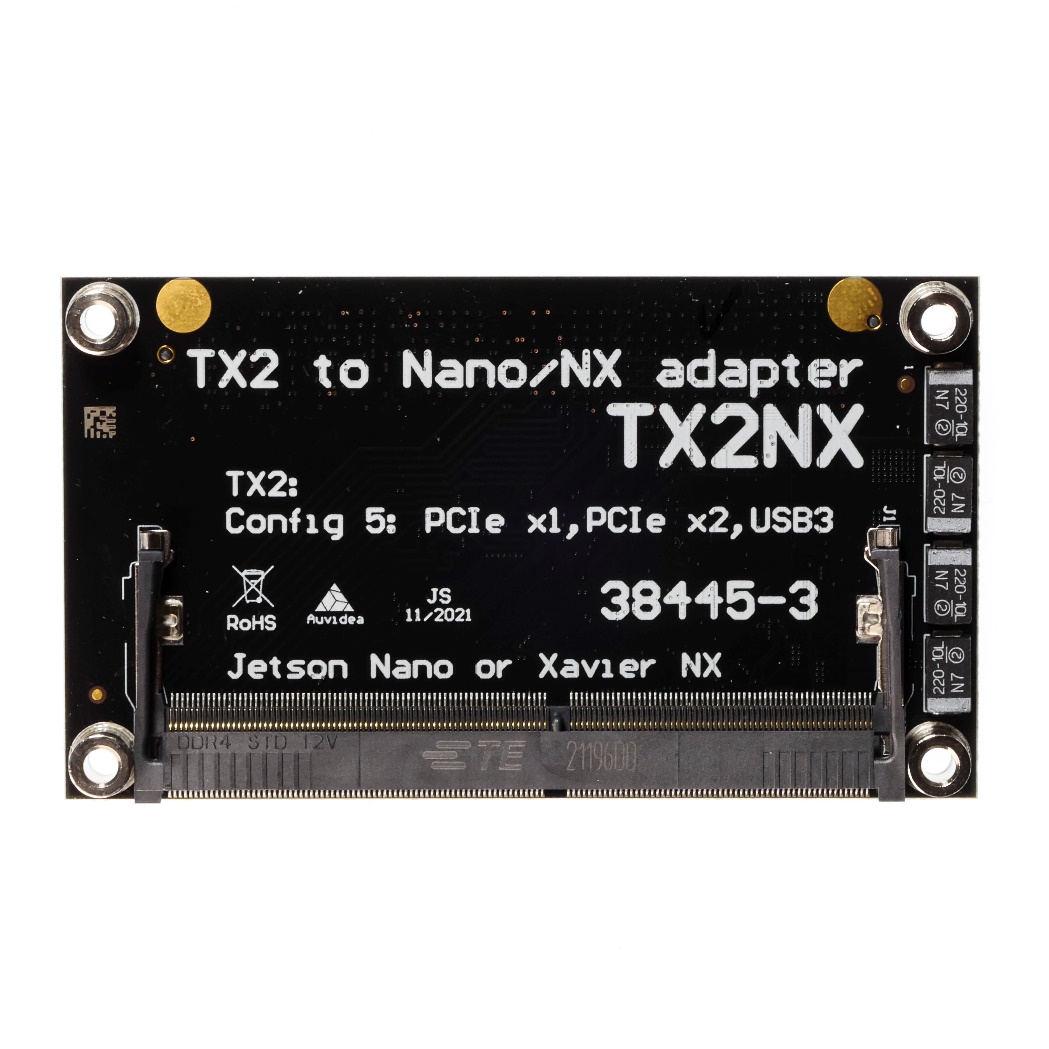
<figure><img src="https://4179663496-files.gitbook.io/~/files/v0/b/gitbook-x-prod.appspot.com/o/spaces%2FPvHPCNCsOskOuuldSBNz%2Fuploads%2FxLPBRsfRaWUclLI5lCBa%2F1.jpeg?alt=media" alt=""><figcaption><p>Topside 38445</p></figcaption></figure>

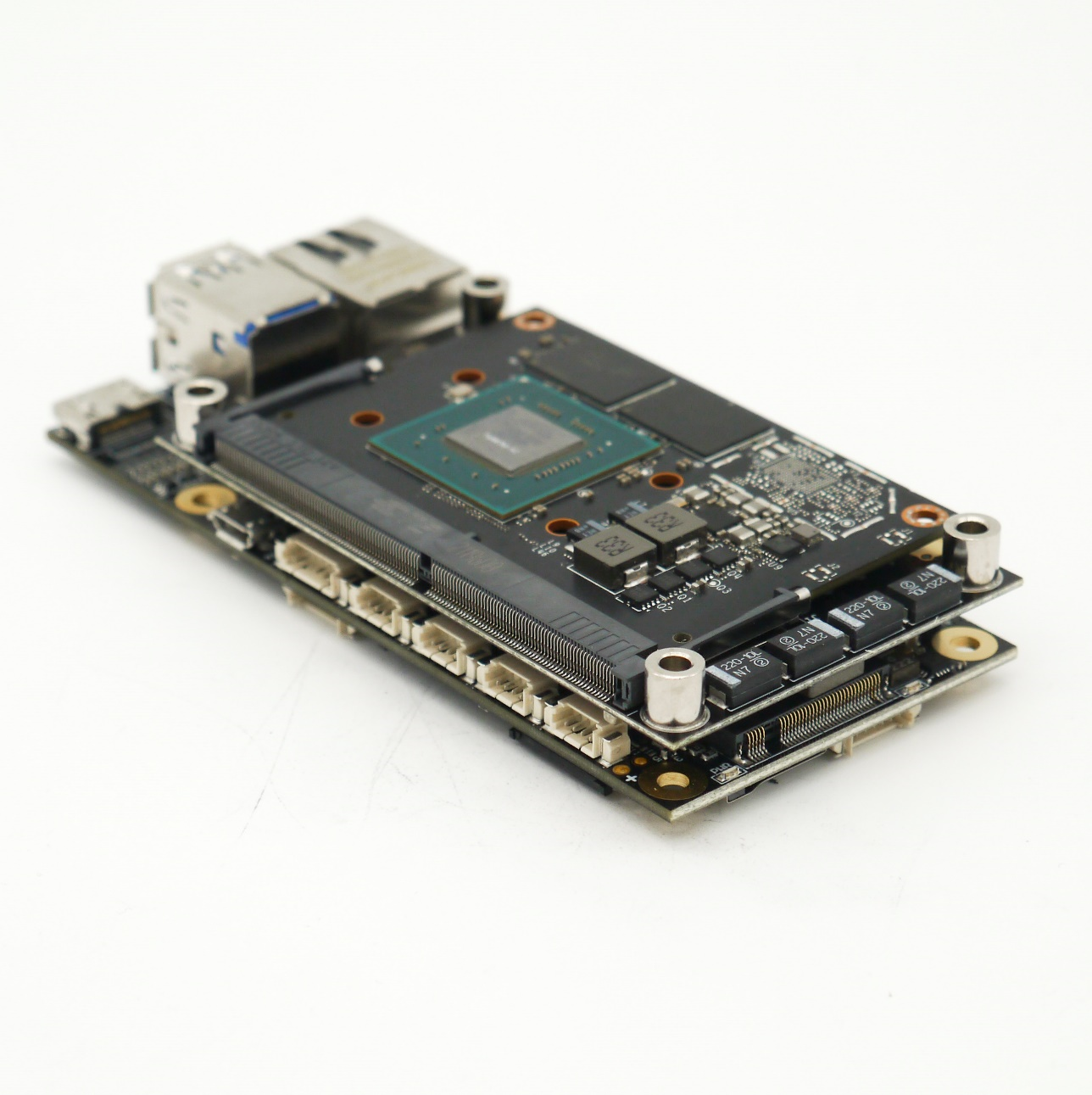
<figure><img src="https://4179663496-files.gitbook.io/~/files/v0/b/gitbook-x-prod.appspot.com/o/spaces%2FPvHPCNCsOskOuuldSBNz%2Fuploads%2FHlEQRHC0OJLojIDtwYtq%2F4.png?alt=media" alt=""><figcaption><p>Example setup, NX with Adapter on the Auvidea J121</p></figcaption></figure>

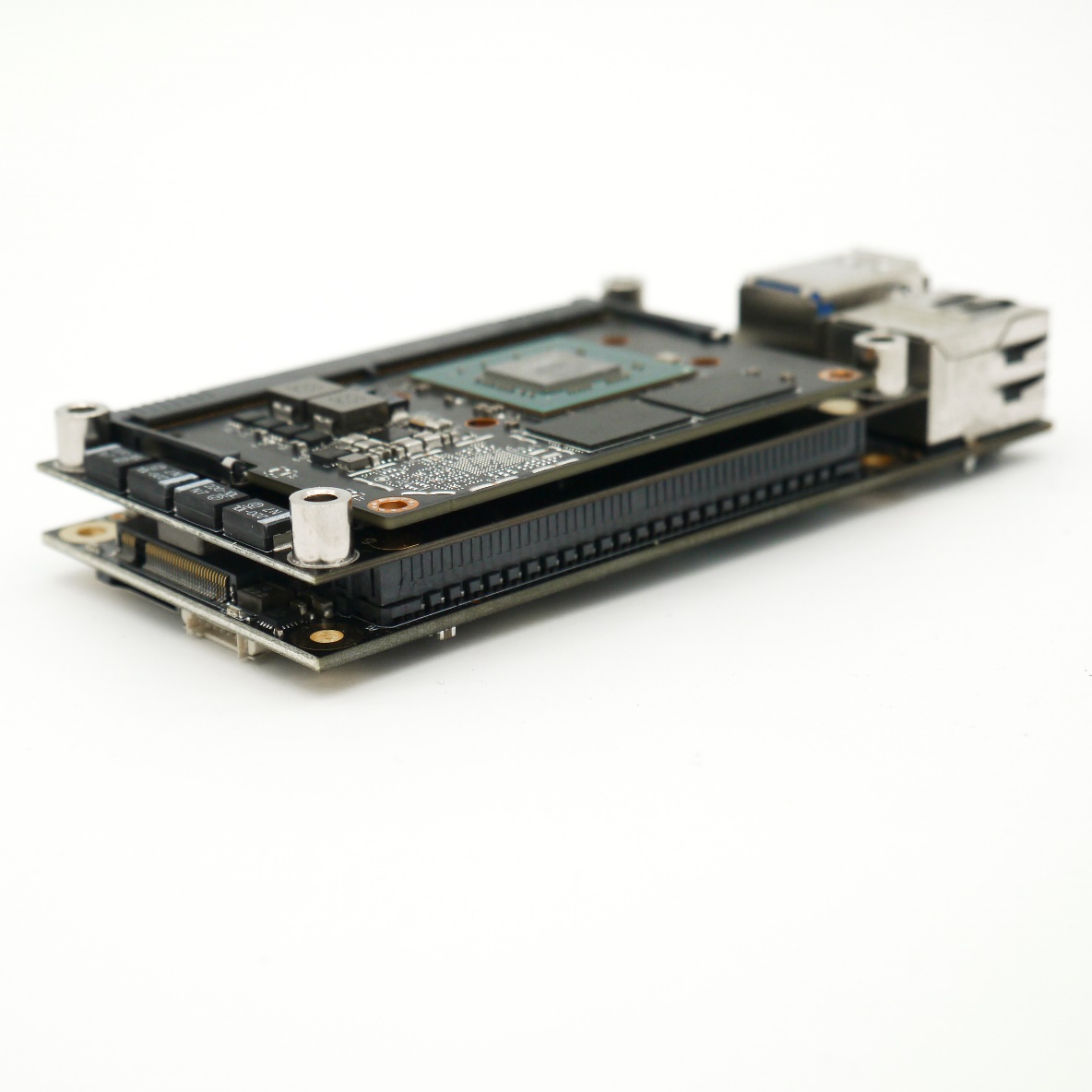
<figure><img src="https://4179663496-files.gitbook.io/~/files/v0/b/gitbook-x-prod.appspot.com/o/spaces%2FPvHPCNCsOskOuuldSBNz%2Fuploads%2FiY1ezfLu9JWbf92YxJQe%2F3.jpeg?alt=media" alt=""><figcaption><p>Example setup, NX with Adapter on the Auvidea J121</p></figcaption></figure>

### &#x20;<a href="#ole_link5" id="ole_link5"></a>


---

# Agent Instructions
This documentation is published with GitBook. GitBook is the documentation platform designed so that both humans and AI agents can read, navigate, and reason over technical content effectively. Learn more at gitbook.com.

## Querying This Documentation
If you need additional information that is not directly available in this page, you can query the documentation by asking a question.

Perform an HTTP GET request on the following URL with the `ask` and `goal` query parameters:

```
GET https://auvidea.gitbook.io/nx-to-tx2-adapter/manual/nx-to-tx2-adapter-overview.md?ask=<question>&goal=<user_goal>
```

`ask` is the immediate question: it should be specific, self-contained, and written in natural language.
`goal` is what the user is ultimately trying to achieve, the reason they need the answer. Sharing it helps GitBook give you a better, more relevant answer. A goal is most helpful when it describes the outcome the user wants rather than restating the question. For example, with `ask=how do I create an API token`, a goal like `automate deployments from our CI pipeline` lets GitBook tailor the answer to that use case.

The response will contain a direct answer to the question and relevant excerpts and sources from the documentation.

Use this mechanism when the answer is not explicitly present in the current page, you need clarification or additional context, or you want to retrieve related documentation sections.